ヘルプ記事

How to Change Your Password on MultiLipi

MultiLipi
MultiLipi 6/19/2025
5 Mins読む
ブログカバー画像

Secure your infrastructure access with routine credential rotation.

Protecting your MultiLipi Command Center is critical. Whether adhering to corporate compliance policies or simply refreshing your security, you can rotate your access credentials directly from the dashboard without needing support intervention.

This guide details the protocol for updating your primary account password.

1. Accessing Security Controls

To initiate a credential update:

1
Authenticate: Log in to your MultiLipi Dashboard.
2
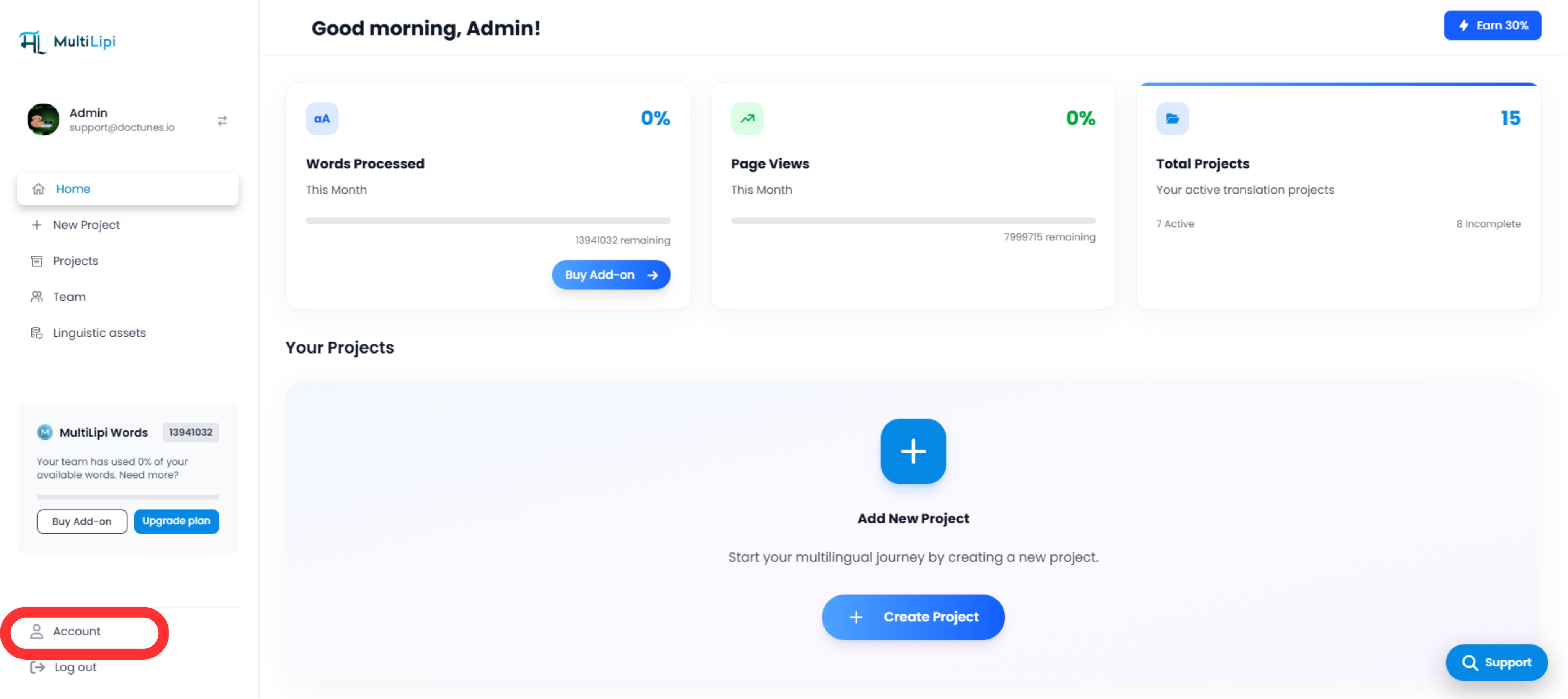
Navigate: Select the Account tab from the bottom of the left-hand sidebar.
3
Locate Profile: Ensure you are on the default My Details tab. This section governs your identity and authentication parameters.
MultiLipi dashboard interface showing the Account tab highlighted in red at the bottom of the left sidebar, with the main dashboard displaying greeting 'Good morning, Admin', statistics for Words Processed (0%), Page Views (0%), and Total Projects (15), and a Your Projects section with an option to Add New Project

2. Executing the Update

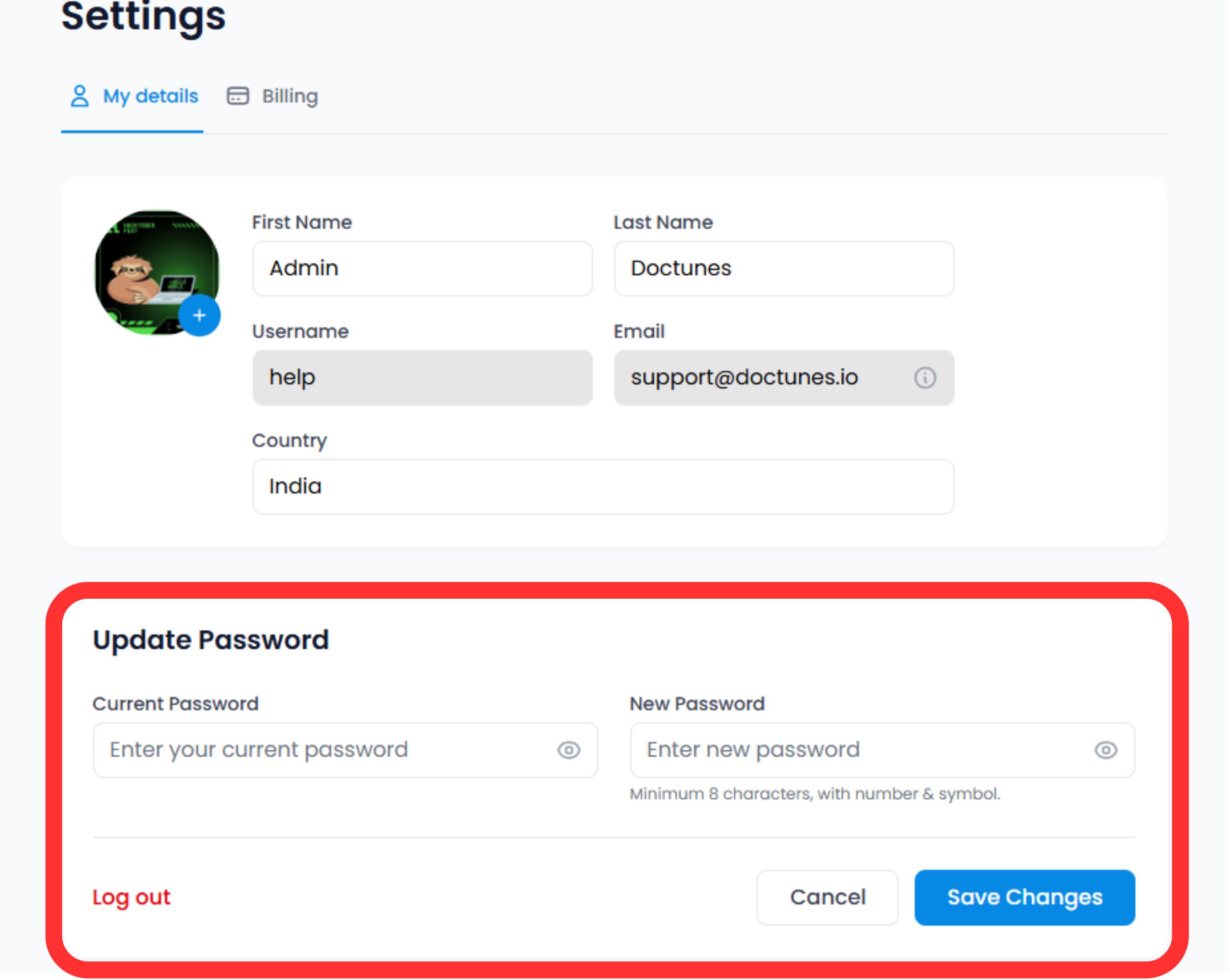
Scroll to the Security Section at the bottom of the profile form.

Verify Identity

Enter your Current Password to authorize the change.

⚠️ Security Note: You cannot change your password without proving your current access level.

Set New Credential

Enter your New Password.

Commit

Click Save Changes.

System Action

The update is immediate. You may be required to re-authenticate on other devices where your session is active.

MultiLipi Settings page showing My details and Billing tabs, with user profile form containing First Name (Admin), Last Name (Doctunes), Username (help), Email (support@doctunes.io), and Country (India) fields. Below is an Update Password section highlighted in red with Current Password and New Password input fields, plus Log out, Cancel, and Save Changes buttons

3. Credential Standards (Best Practices)

For maximum security, we recommend adhering to the following complexity rules:

🔢

Length

Minimum 12 characters.

🔐

Complexity

Mix of alphanumeric (A-Z, 0-9) and special symbols (!@#$).

Uniqueness

Do not reuse passwords from other services.

4. Recovery Protocol

Locked Out?

If you cannot remember your current password to perform the update steps above, do not use this form.

アクション:

Log out and use the "Forgot Password" link on the login screen. This triggers an email-based recovery flow to verify your identity externally.

🔒 Security Best Practice

We recommend rotating your password every 90 days and enabling two-factor authentication (2FA) for an additional layer of security. Regular credential updates help protect your MultiLipi infrastructure from unauthorized access.

Learn about 2FA Setup

この記事は役に立ちましたか?

この記事では

共有

グローバル展開の準備はできましたか?

MultiLipiがコンテンツ戦略をどのように変革し、AI搭載の多言語最適化でグローバルなオーディエンスにリーチできるようになるか、ぜひご相談ください。

フォームにご記入いただければ、24時間以内に担当チームよりご連絡いたします。