
1.監査プロトコル
ステップ1:プロジェクトコンテキストにアクセスする
MultiLipiダッシュボードにログインします。
左側のサイドバーで、 翻訳 セクションで、現在のプロジェクトをクリックしてその特定の]設定を開きます。
ステップ2:ルーティングマップにアクセスする
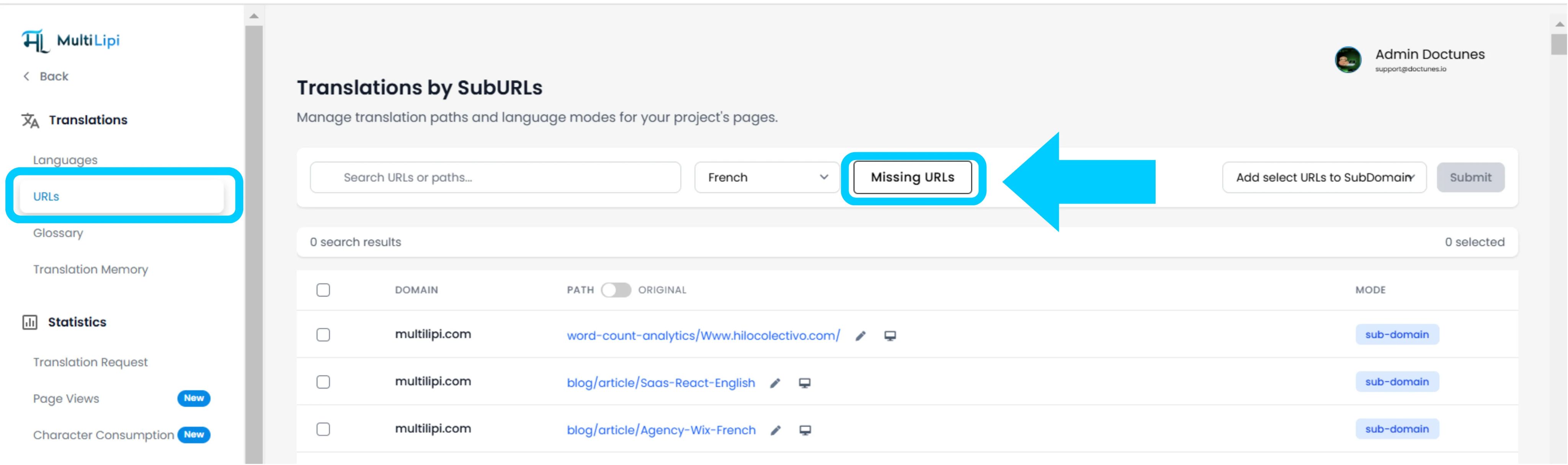
プロジェクトビュー内で、]をクリックします。 URL サイドバーのオプション。
コンテキスト: このパネルには、現在追跡および翻訳されているすべてのパスのレジストリが表示されます。
ステップ3:ターゲットコンテキストを定義する
検索バーの横にあるドロップダウンメニューを探します。
アクション: 監査したい特定の言語を選択します(例:フランス語)。
ロジック: システムはソース(英語)インデックスとフランス語インデックスを比較します。
ステップ4:スキャンを実行する
クリック URL不足 ボタン。
システムアクション: システムはソースドメインをスキャンし、現在の言語マップに存在しない有効なパスを検出します。
2.取り込みと同期
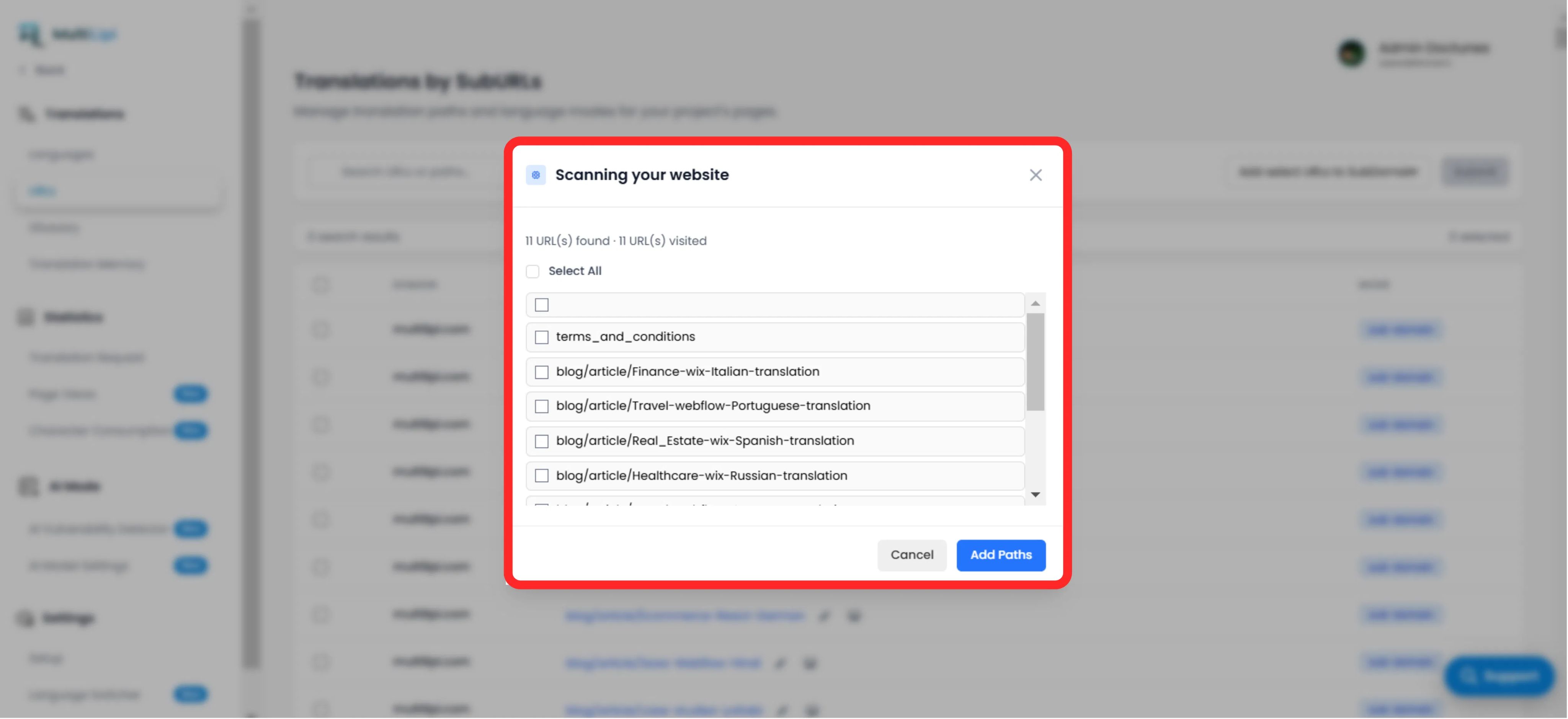
監査概要
見つかった翻訳されていないパスの総数を表示します。
パスリスト
特定のURLのリスト(例: /blog/new-feature)がターゲット言語にありません。
Fixプロトコル
選択: 特定のページの場合はチェックボックスを手動でオンにするか、"すべて選択"をクリックしてバッチ全体を同期します。
コミット: 「Add Paths」ボタンをクリックします。
結果: これらのURLは即座に翻訳キューに追加されます。システムはローカライズされたバージョンを生成し、トラフィックがそれらに到達できるようにします。
3. 戦略的メリット
SEOカバレッジ
検索エンジンは存在しないページをインデックス化できません。これらのURLを追加することで、Googleはホームページだけでなく、フランス語でサイト全体をインデックス化するようになります。
行き止まり防止
ユーザーがディープページで言語を切り替えたときに、特定の翻訳が欠落しているためにホームページにリダイレクトされることを防ぎます。
自動検出
翻訳されたブログ投稿を追跡するための手動スプレッドシートの必要性をなくします。
Pro Tip
新しいパスを取り込んだ後、に移動します AIモード > 脆弱性検出 これらの新しく作成されたページに対して即座にSEO健全性チェックを実行し、ローンチに向けて最適化されていることを確認します。