ヘルプ記事

MultiLipi – Wix統合ガイド

マルチリピ
マルチリピ 6/19/2025
10分 読む
ブログの表紙画像

Inject enterprise localization into the Wix ecosystem.

Wix is a powerful visual builder, but its native translation tools can be manual and restrictive. MultiLipi integrates directly into the Wix Head Layer, allowing you to bypass these limits. By injecting our infrastructure script, you instantly enable AI translation and automated SEO indexing for your entire site without altering your existing design or Velo code.

This guide details the integration process using Wix's カスタムコード feature.

1. Deployment Prerequisites

Wix restricts code injection to premium accounts. Ensure you meet these requirements:

Wix Plan

You must be on a Premium Plan (Light, Core, Business, etc.) that supports connected domains.

Domain Status

Your site must have a custom domain connected (e.g., yoursite.com). The script will not run on free .wixsite.com subdomains.

MultiLipi API Key

Locate this in your Dashboard under Settings > General.

2. Step 1: Access the Code Injection Layer

  1. 1

    にログインします。 Wixダッシュボード .

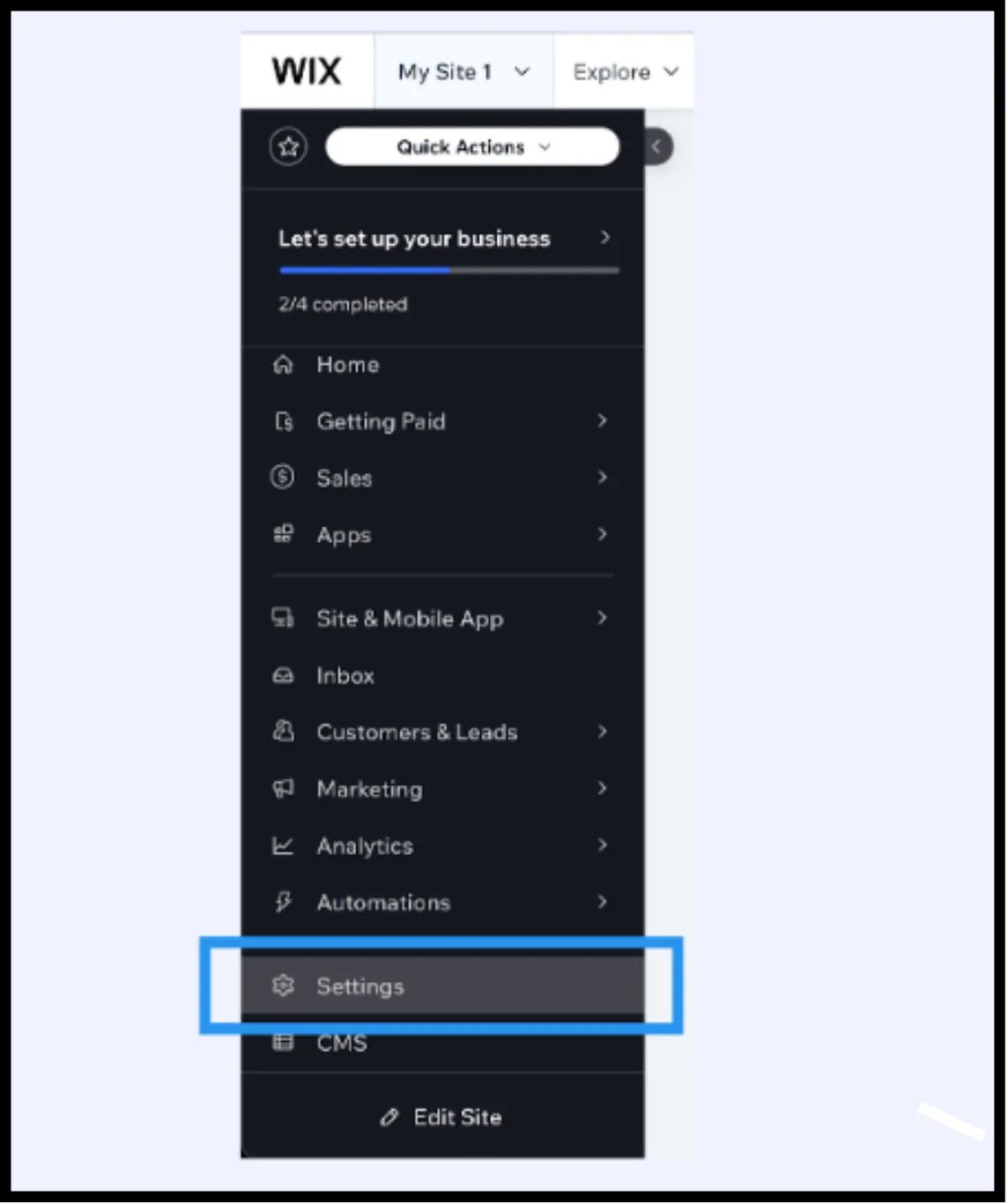
Wix dashboard left sidebar with Settings menu item highlighted in blue box, showing navigation options including Home, Getting Paid, Sales, Apps, Site & Mobile App, and CMS
  1. 2

    に移動します 設定 in the left-hand sidebar.

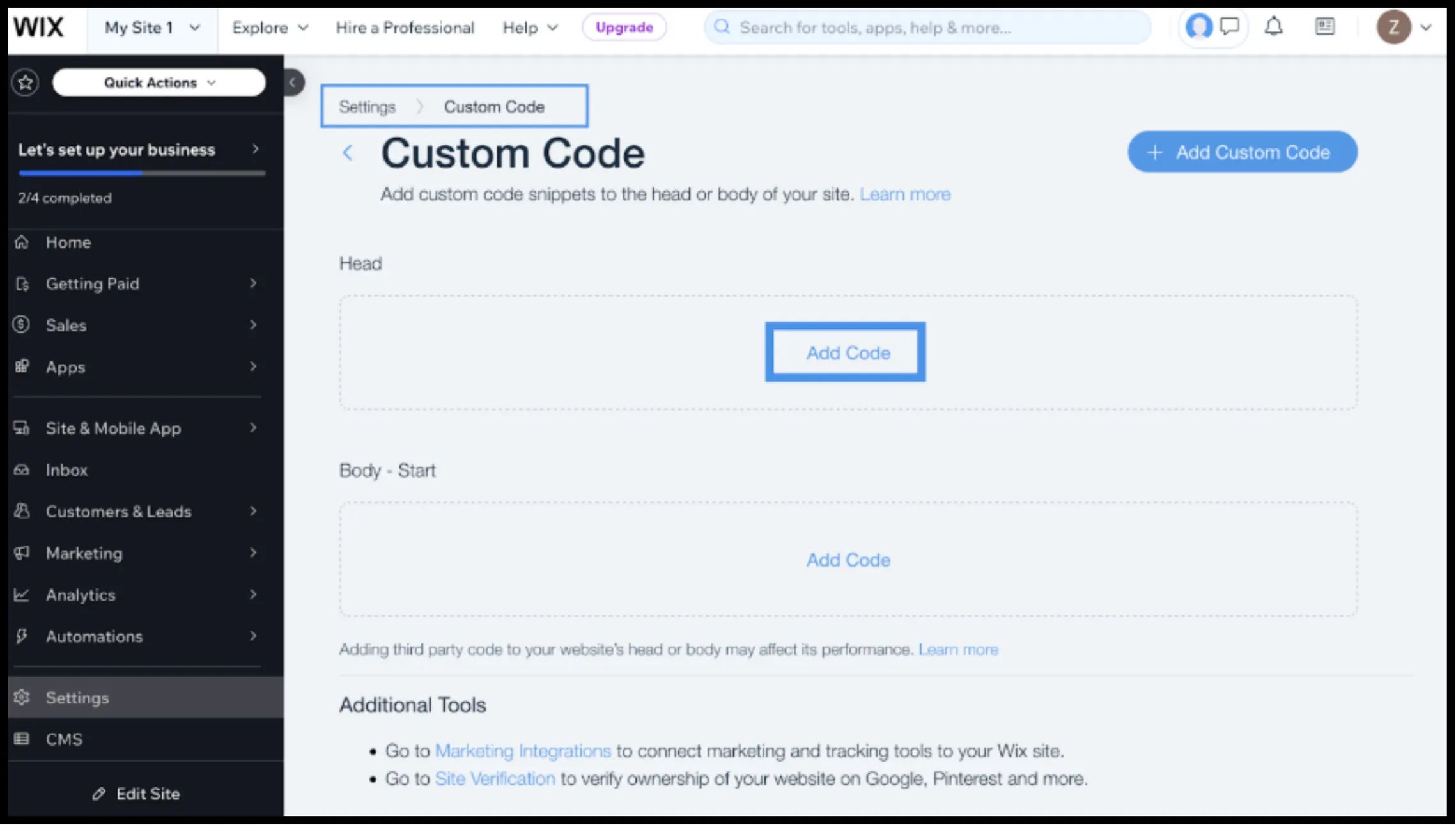
Wix Custom Code settings page showing Custom Code tab highlighted, with Head and Body-Start sections displaying Add Code buttons in blue boxes
  1. 3

    下にスクロールして 上級 section and select カスタムコード .

3. Step 2: Inject the Infrastructure Script

  1. 1

    をクリックします + Add Custom Code右上隅にあるボタン。

  2. 2

    Paste Code Snippet: Insert the following connection script into the text box:

    HTML
    <script 
      src="https://multilipistorage.blob.core.windows.net/static/js/page_translations.js" 
      key="YOUR_API_KEY_HERE"
    ></script>

⚠️ Critical Config

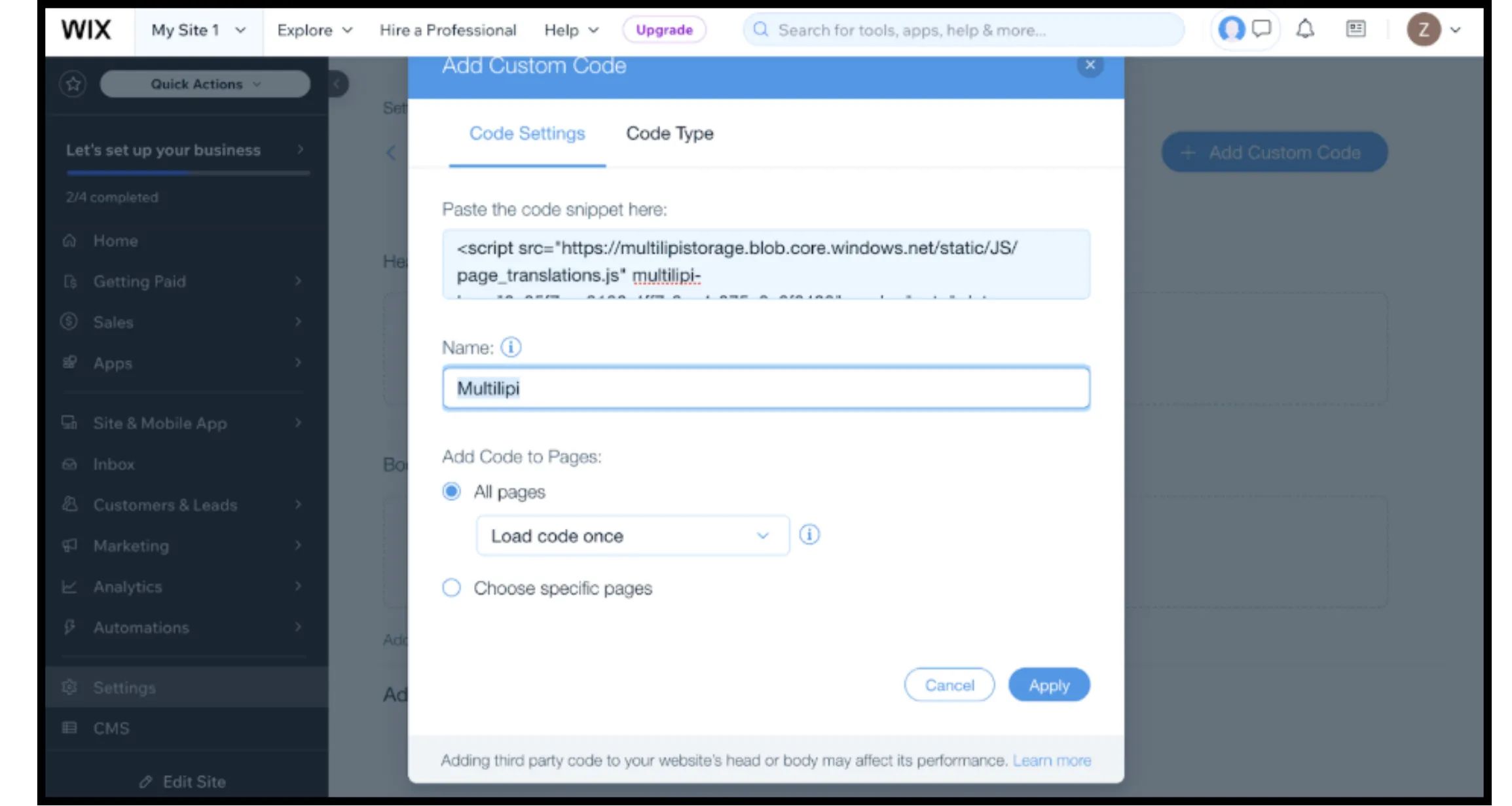
  • Paste Snippet: Ensure you replace YOUR_API_KEY_HERE with your actual key.
  • 名前: Label it "MultiLipi Infrastructure".
  • Add Code to Pages:選ぶ "All Pages"そして "Load code once". This is vital for Single Page Application (SPA) performance.
  • Place Code in:選ぶ "Head".
  • クリック 申し込む .
Wix Add Custom Code modal dialog showing Code Settings tab with MultiLipi script example, name field set to 'Multilipi', All pages radio button selected with Load code once dropdown, and Apply button

4. Step 3: Deployment & Verification

Wix sites are heavily cached. Follow this protocol to verify the install:

著す

You must click 著す in the Wix Editor for the custom code to go live.

Verify

Open your live domain (preferably in an Incognito window to bypass local cache).

Visual Check

The Language Switcher should appear in the bottom-left corner.

Behavior Check

Switch languages and navigate to a new page. The language preference should persist.

5. Optimization & Design Integrity

Once the integration is live, MultiLipi works to preserve your Wix design:

Velo Compatibility

Our engine works alongside Wix Velo (JavaScript), ensuring dynamic content is translated without breaking functionality.

Design Protection

If a German translation is too long for a specific button, use the ビジュアルエディター to shorten the text manually, preventing layout shifts.

SEO Automation

Unlike standard Wix translations, MultiLipi automatically handles the hreflang signals required for Google to index your localized pages correctly.

この記事は役に立ちましたか?

この記事では

共有

グローバル展開の準備はできていますか?

MultiLipiがあなたのコンテンツ戦略をどのように変革し、AI搭載の多言語最適化で世界中のオーディエンスにリーチできるかについて話しましょう。

フォームにご記入いただければ、24時間以内にチームがご連絡いたします。