What is the Number of Translated Words and How is it Calculated?
 マルチリピ
•
2025年6月19日
•
5分で読めます
マルチリピ
•
2025年6月19日
•
5分で読めます
When you use MultiLipi to translate your website, our system keeps track of the 翻訳された単語の数 across all your language pairs and projects. This count is essential because it determines your plan usage and helps you estimate your translation needs more accurately.
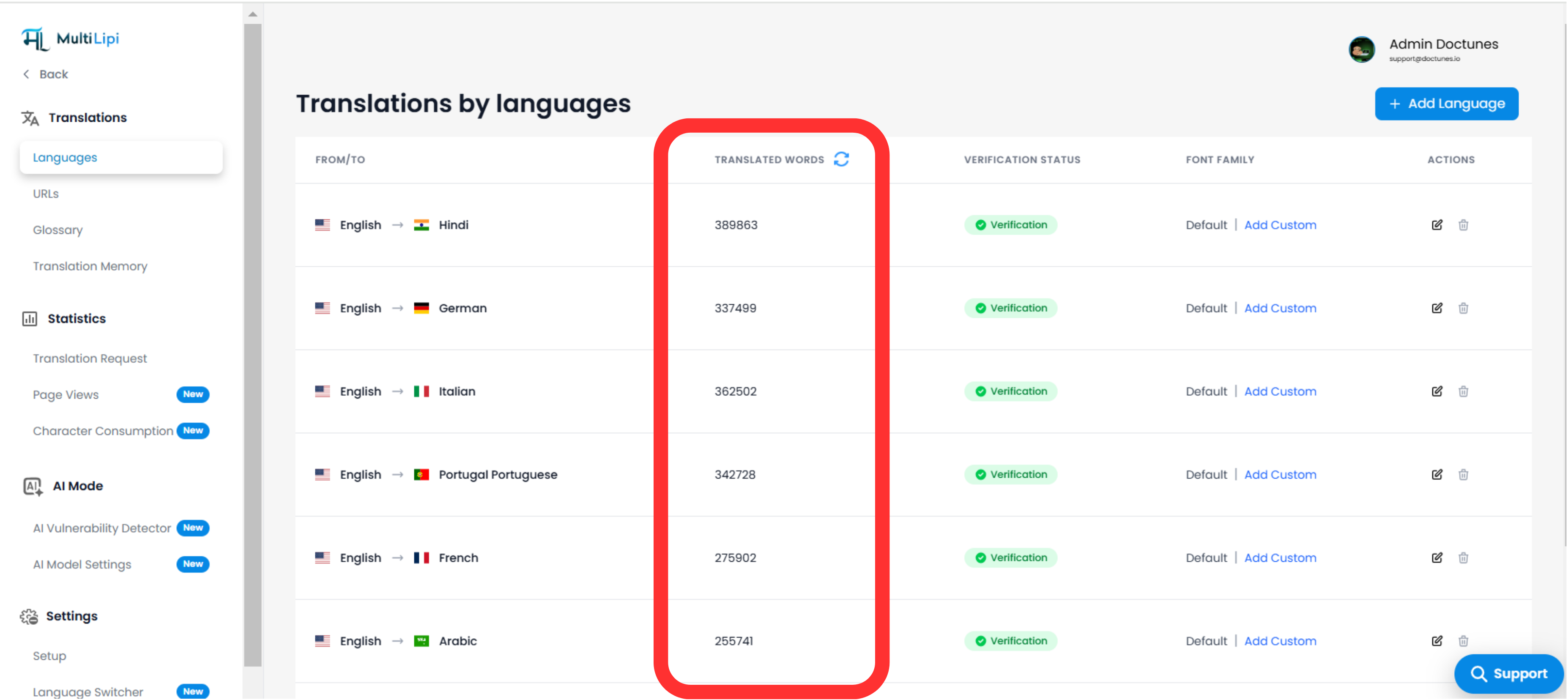
翻訳された単語はどこで見ることができますか?
プロジェクトが稼働し、翻訳が完了すると、翻訳された単語の数が 「言語」 tab in your dashboard. Each language pair (e.g., English → Hindi) will display its own translated word count.
翻訳された単語はどのようにカウントされますか?
MultiLipi calculates translated words based on the final translated content that appears on your website. This includes:
-
ページ上に表示可能なテキスト (見出し、段落、メニュー、ボタンなど)
-
HTML タグ内のテキスト とか <title>, <meta> , <alt> など
-
動的に読み込まれるコンテンツ (as long as it is accessible via JavaScript at runtime)
-
SEO-critical elements説明、スラッグ、正規タグなど
例:
If a single page has 500 visible words and you’re translating it into 3 languages, the total translated word count will be 1,500ワード .
コンテンツを更新するとどうなりますか?
もし、 コンテンツの変更または追加 in the original language, MultiLipi will count the updated content as newly translated—adding to your word count. Repetitions are not double-counted if the exact phrase already exists in your 翻訳メモリ .
単語数を更新する方法は?
「翻訳された単語」の横にある更新アイコンをクリックすると、次のことができます 再計算 the word count in real-time. This helps you keep your usage and limits up-to-date.
If you have any confusion regarding your word usage or plan limits, feel free to reach out to our support team at support@multilipi.com .
コメント